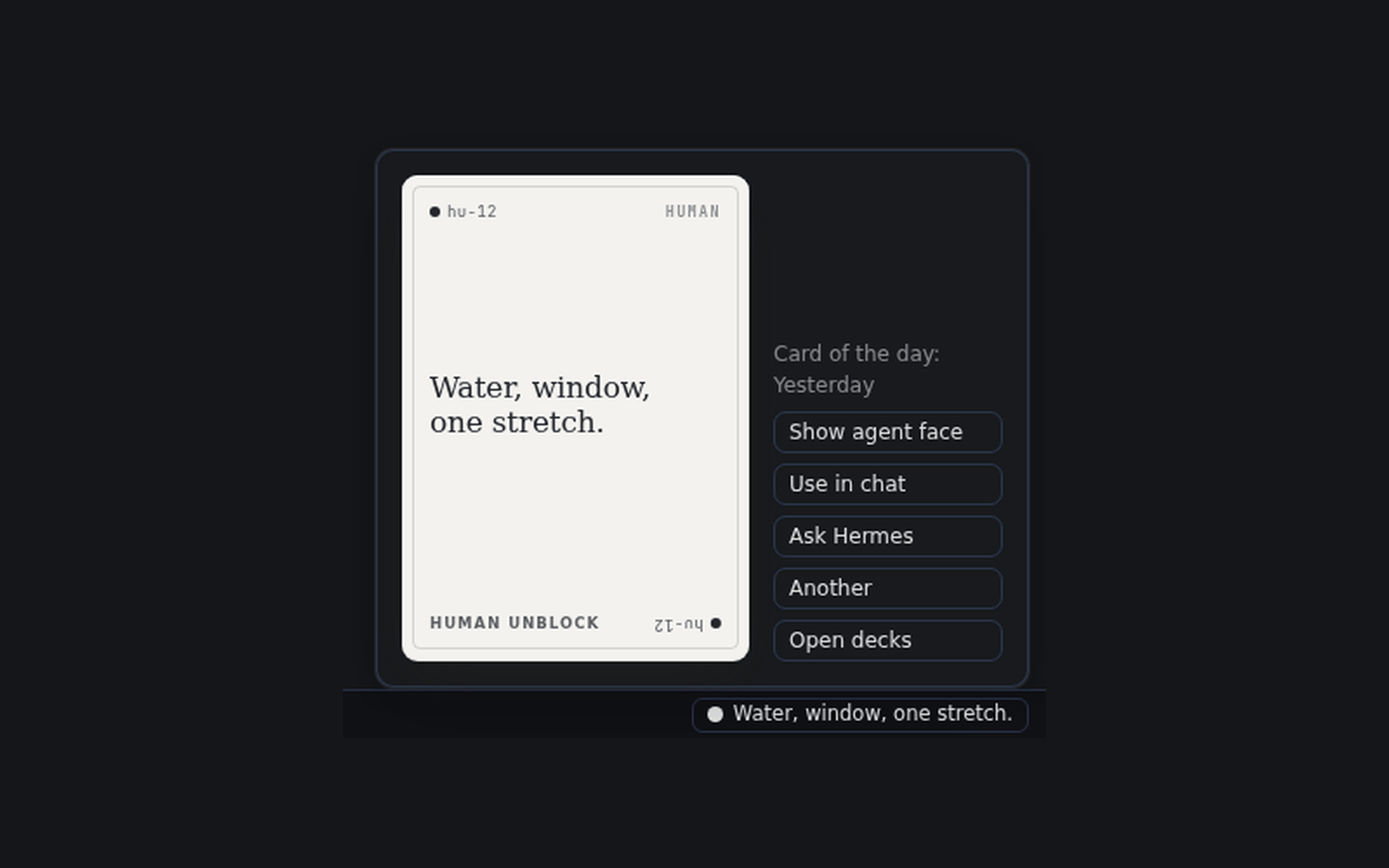
Two faces on every card
A playful line for you, and one concrete instruction for an agent. Draw one from the UnblockCards page, the status bar, the command palette, or with /card in any chat.
Cards to unblock yourself or your agent.
Cards to unblock yourself or your agent, drawn by you when you are stuck and by Hermes when its tool calls keep failing.
hermes plugins install https:/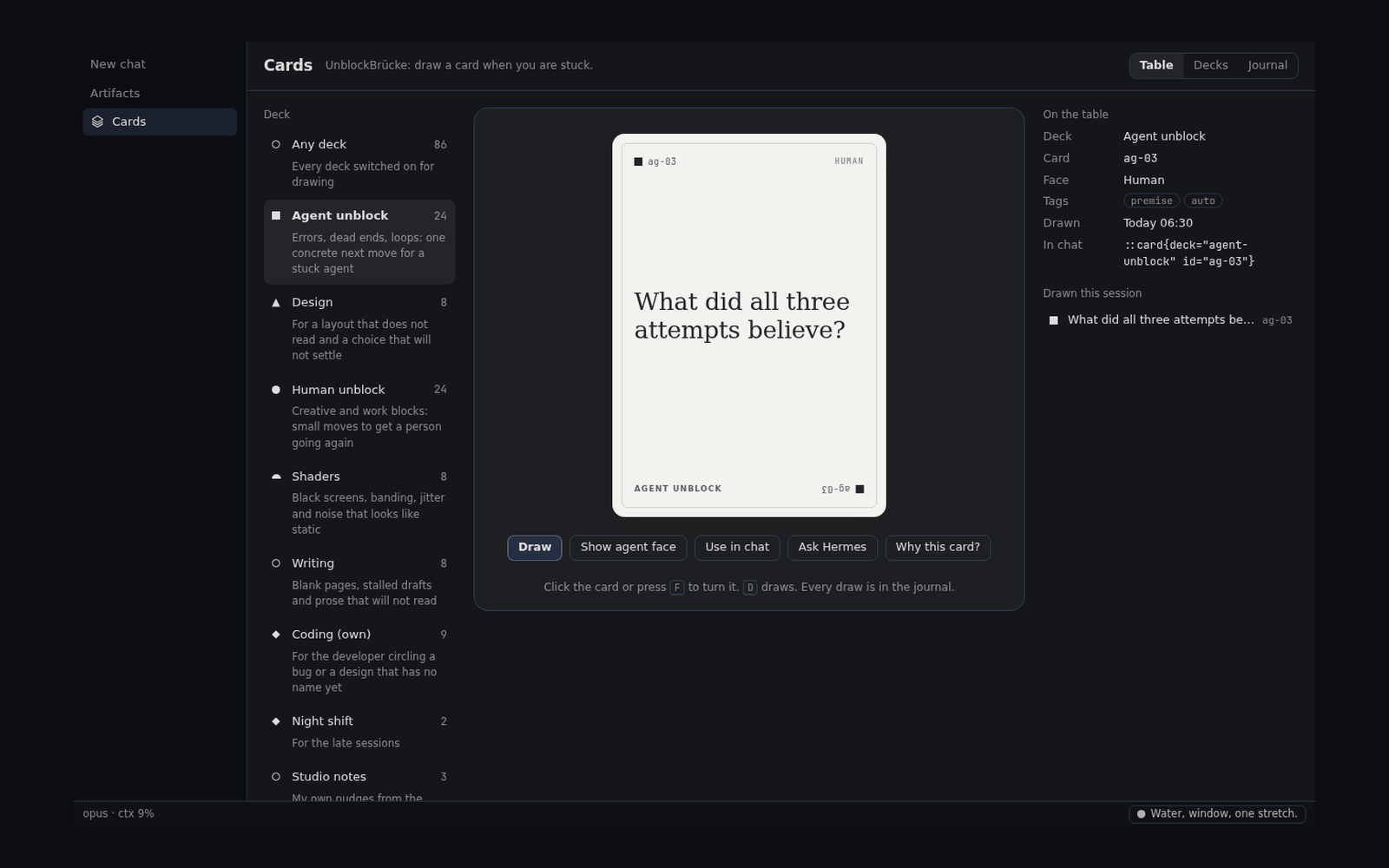
A playful line for you, and one concrete instruction for an agent. Draw one from the UnblockCards page, the status bar, the command palette, or with /card in any chat.
Switch it on, and Hermes draws a card for itself after three failed tool calls in a row. The call still counts as failed: the card adds a direction and never hides an error.
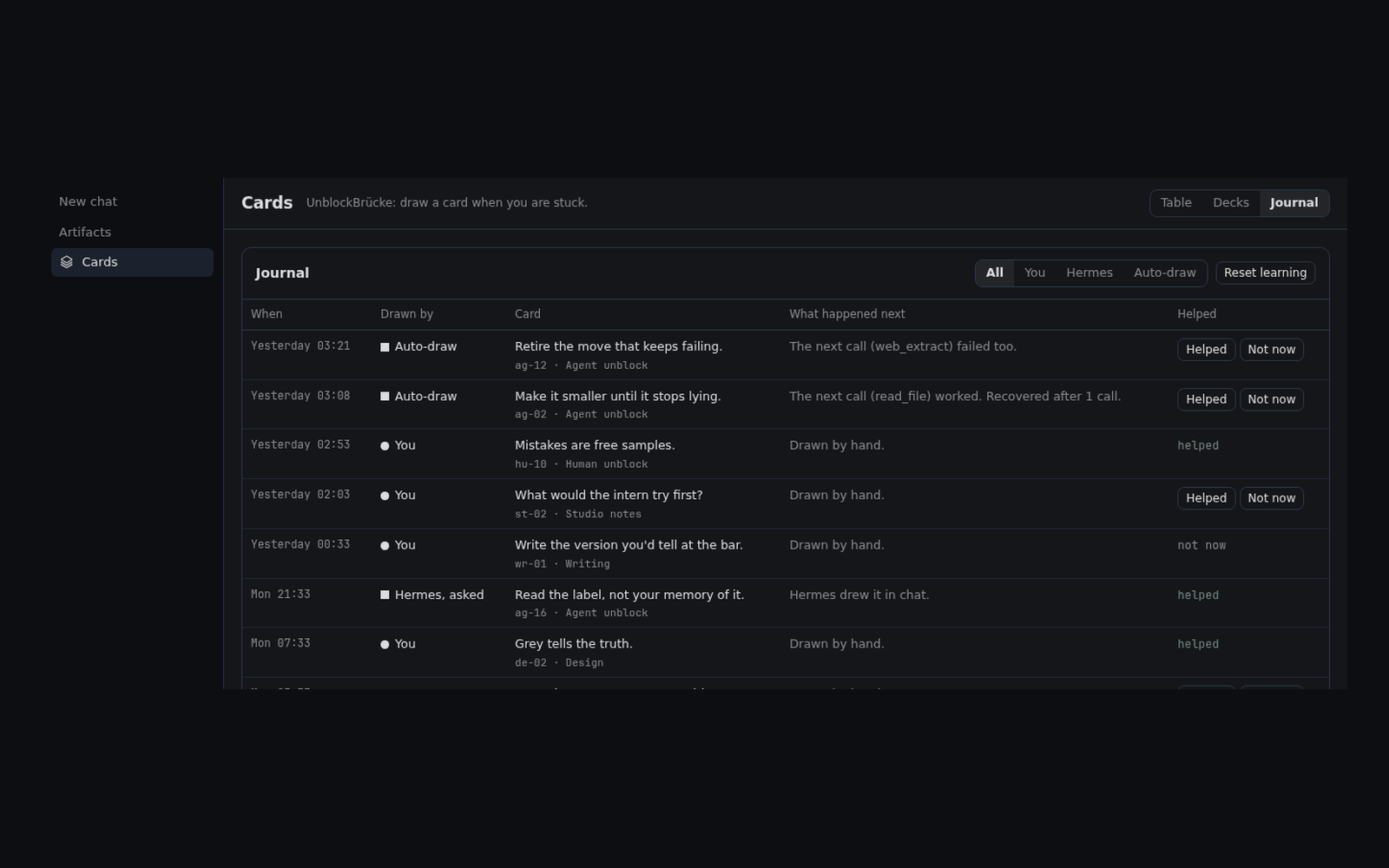
Six decks ship with 80 cards: agent, human, coding, design, shaders and writing. A card you mark Helped comes up a little more often, and the journal keeps every draw.
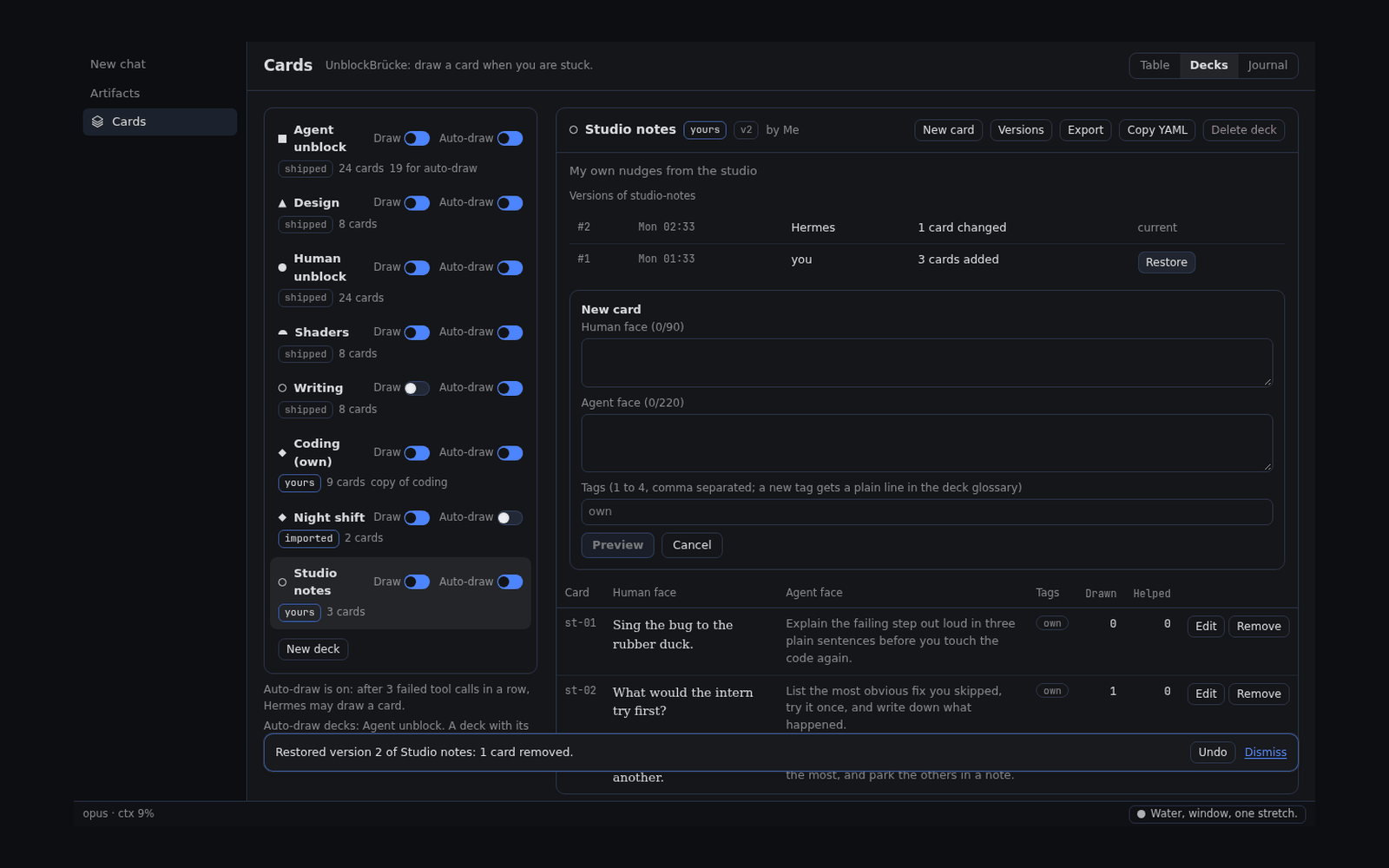
Write decks in the page, preview each change before you save it, and restore earlier versions. Propose a deck as a pull request, and every deck is reviewed before it ships.
Install it where Hermes runs.
hermes plugins install https:/Hermes on a server and Desktop on your laptop? Install it on the server as above, and on the Desktop computer with:
hermes plugins install https:/In Hermes Desktop, switch the plugin's Desktop half on in Capabilities → Plugins, then open UnblockCards in the sidebar.
Pick a deck and press Draw, or type /card in any chat.
Hermes 0.23.0 or newer. Nothing else: no account, no credentials, no network.
No. The cards are written new for Hermes, in the spirit of Brian Eno and Peter Schmidt's Oblique Strategies. The original cards are not included.
Yes. /card draws in any chat without a model call, and the agent can draw, show and rate cards with its tools. The UnblockCards page and the card of the day need Desktop.
Nothing from the plugin. A card the agent draws enters its context, and so reaches your model provider like any tool result.
Run hermes plugins update unblockbruecke, then start a new chat. On a server, update there and on the Desktop computer.
Run hermes plugins remove unblockbruecke.
The code is MIT. The shipped deck texts are CC BY 4.0, and community decks are CC BY 4.0 or CC0.
Open an issue on GitHub.
UnblockBrücke is open source under MIT. Issues, ideas and pull requests are welcome on GitHub. Send a deck: propose it as a pull request. CONTRIBUTING.md explains the file and the rules, and scripts/check_deck.py checks it.